Back in 1923, brilliant Swiss-born architect Le Corbusier (1887–1965)
described a house as
"a machine for living in"—and slowly, during the 20th century, that metaphor turned into reality. First, the arrival of convenient, electric power started to
strip away the drudgery from all kinds of domestic chores, including
washing clothes and
dishes and
vacuuming the floor. Then, when
transistors
made electronics more affordable in the mid-20th century, appliances
started to control themselves in a very limited way, using built-in
sensors and programmers.
But it's only now, in the 21st century, that
the vision of the fully automated, smart home is actually being realized.
Thanks to the Internet, it's easy to set up
virtually any electric appliance in your home so you can control it
from a Web browser anywhere in the world. And, before much longer,
all kinds of net-connected machines will be talking to one another,
running much more of our lives automatically through what's known
as the Internet of Things.
Like the idea of living in a smart home?
Or an automated future that takes care of itself?
Let's take a closer look at how it might work!
Photo: Smart homes are more environmentally friendly: Internet-connected smart appliances and electric cars can use signals from the electricity grid to figure out when power is cheapest and greenest. Photo by Dennis Schroeder courtesy of US Department of Energy National Renewable Energy Laboratory
(NREL), image id # 112737.
A smart home is one in which the various electric and
electronic appliances are wired
up to a central computer control system so they can either be
switched on and off at certain times (for example, heating can be
set to come on automatically at 6:00AM on winter mornings) or if certain
events happen (lights can be set to come on only when a
photoelectric sensor detects that it's dark).
Photo: The simplest kind of home automation. Plug this time switch into your electrical outlet and it will switch any appliance on and off up to four times a day. This one is digital and uses a battery powered clock. Others have large, slowly rotating wheels with dozens of tiny switches you press in or out to switch appliances on and off as many times as you like. Inside, switches like this use a simple relay that allows a small switching current from the clock circuit to switch the much bigger power circuit on and off.
Most homes already have a certain amount of "smartness" because many appliances already
contain built-in sensors or electronic controllers. Virtually all
modern washing machines have programmers that make them follow a
distinct series of washes, rinses, and spins depending on how you set
their various dials and knobs when you first switch on. If you have a
natural-gas-powered central heating system, most likely you also have
a thermostat on the wall that switches it on and off according to the
room temperature, or an electronic programmer that activates it at
certain times of day whether or not you're in the house. Maybe you're
really hi-tech and you have a robotic vacuum cleaner that constantly crawls around your floors sweeping the dust?
All these things are examples of home automation, but they're not really what we mean by a
smart home. That concept takes things a step further by introducing
centralized control. In the most advanced form of smart home, there's a computer that
does what you normally do yourself: it constantly monitors the state of
the home and switches appliances on and off accordingly. So, for
example, it monitors light levels coming through the windows and
automatically raises and lowers blinds or switches the lights on at dusk.
Or it detects movements across the floor and responds appropriately:
if it knows you're home, it switches light and music on in different
rooms as you walk between them; if it knows you're out, it sounds an
intruder alarm.
Sponsored links
How do smart homes work?
Assuming you're not (yet) in the Bill Gates league of having a
multimillion dollar smart home built from the ground up, you'll probably be more
interested in adding a bit of automation to your existing appliances
with as little fuss as possible. Modestly smart homes like this
range in complexity from basic systems that use a few plug-in modules and
household electricity wiring to sophisticated wireless systems you
can program over the Internet. Here are the three most common flavors:
Plug-in X-10 modules
Developed in 1975, the oldest and best-known smart home automation system is called
X-10
(sometimes written "X10") and uses your ordinary
household electricity wiring to switch up to 256 appliances on and off with no
need for any extra cables to be fitted.
Photo: An X-10 module used for controlling household appliances made by
Powerhouse. You can see the two dials used for setting the unit code (top) and house code
(bottom). Photo by Phylevn published on Flickr
in 2009 under a Creative Commons Licence.
You plug each appliance you want to automate into a small control unit (usually called a module)
and plug that into an ordinary electrical power outlet. Using a small
screwdriver, you then adjust two dials on each module. One dial is
what's called the house code and you set this to be a letter from A
through P. You can use the house code to link appliances together (for example, so
all the lamps on the first floor of your home can be controlled as a group).
The other dial is set so each individual appliance has a unique
identifier known as its unit code, which is a number 1–16.
Next, you plug a central controller unit into another electrical socket and program it to switch the various
appliances on and off (identifying them through their codes) whenever
you wish.
How does it work? The central controller sends regular switching
signals through the ordinary household wiring, effectively treating
it as a kind of computer network. Because these signals work at roughly twice the switching frequency
of ordinary AC power (which works at 50–60Hz), they don't interfere with it
in any way. Each signal contains a code identifying
the unit it relates to (a table lamp in your living room, perhaps, or
a radio in your bedroom) and an instruction such as turn on, turn off,
or (for lamps) brighten, or dim. Although all the control units listen
out for and receive all the signals, a particular signal affects
only the appliance (or appliances) with the correct code.
Apart from appliances that receive signals, you can also plug in
sensors such as motion detectors,
thermostats, and so on, so the system will respond automatically to
changes in daylight, temperature, intruders, or whatever else you
consider important. With
most systems, you can also switch appliances on and off with a
handheld remote control (similar to a TV remote). The remotes either
send signals directly to each module using radio wave (RF)
signals or communicate with the central controller, which relays the signals
accordingly.
X-10 has become an international standard for controlling appliances, but it's not the only system that works this way.
Computer-controlled X-10 system
If you're just automating a few security lights, a basic X-10 system with a few
modules and a single controller should be more than enough for your
needs. But if you want to run a more sophisticated setup, with
many different appliances coming on and off in all kinds of different
ways, you might want to use your home computer as the controller
instead. That's easy too! You buy an X-10 home computer interface kit
comprising a module (which plugs into a power outlet like any other
module), an interface cable to connect the module to your computer
(using either a standard serial or USB port), and some software.
Typical software shows a graphical representation of all your
appliances and lets you set on/off patterns for a day, a week, or
even longer. You can also create your own macros so groups of
appliances switch on and off in a certain sequence at a certain time
each day. There's X-10 software for both Windows and Linux systems.
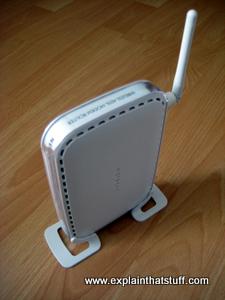
Photo: You can use a wireless router to control an X-10 system remotely over the Internet,
but you'll need to set up an IP address so you can access your router and computer securely from elsewhere.
Dynamic DNS and Port Forward
are very useful if you're going to do this kind of thing.
Wireless Internet system
Security is one of the biggest reasons why many people are interested in smart homes. If
you're away at work or on holiday, making your home seem lived in is
a good way to deter intruders. A basic X-10 system can turn the
lights and the TV on and off at unpredictable times, but if you
really want to push the boat out on security, a wireless,
Net-connected system is much better. Effectively, it's a
computer-controlled X-10 system with an interface you can access over
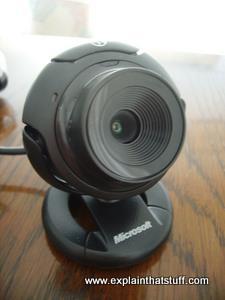
the Web. With a system like this, you can hook up webcams to watch
your home (or your pets), switch appliances on and off in real time,
or even reprogram the whole system. Harmony Home Automation is an
example of a system that works like this.
DIY smart homes
Lots of people like simple, off-the-shelf, plug-and-play systems like X-10: buy it, take it home, plug it in,
and off you go. But plenty more of us are hobbyists, hackers, and geeks for whom the very challenge
of doing something is at least as important—sometimes more so—than the thing we're actually
trying to do. If you're one of these people, you're route to a smart home is more likely to be
through the hacker, maker, DIY community, maybe using something like an Arduino microcontroller to link your computer to appliances around your home.
There are quite a few projects of this kind on websites like Instructables,
and I've listed them in the "Find out more" section below.
But do you really need a smart home?
You might think the idea of a smart home is frivolous and silly.
Isn't it lazy and indulgent to have a machine switching the lights on and off for you
when you can do it perfectly easily yourself? Bear in mind, though, that
many elderly and disabled people, and those with special needs, struggle with simple household tasks.
Home automation could make all the difference between them being able to live
happily and independently in their own home or having to move into expensive sheltered accommodation.
As the population ages, governments and medical charities are looking at home automation with increasing
interest: why not use computers, robots, and other technologies to provide the support that
vulnerable people need to keep them happy, healthy, and independent? For example, people with dementia can have their homes fitted with automated sensors that check whether cookers have been left on or taps have been left to overflow. Elderly
people prone to falling can have their homes fitted with lighting activated by motion sensors, so
that if they get up in the middle of the night they're not stumbling around dangerously in the dark.
Blind people can finally buy ordinary household appliances and use one simple computer controller,
programmed to suit their personal needs, to manage them all.
If you're elderly or disabled, home automation systems like this can make all the
difference to your quality of life, but they bring important benefits
for the rest of us as well. Most obviously, they improve home security,
comfort, and convenience. More importantly, if they incorporate
energy monitors, such as thermostats, or sensors that cut the lights
to unoccupied rooms, they can help you reduce household energy bills;
automated systems such as Bye Bye Standby, which cut the power to
appliances when they're not being used, can dramatically reduce the
energy wasted by appliances such as washing machines,
dishwashers,
and TVs when they're not actually being used.
Maybe you're still not convinced—and maybe you're right.
Do you really need things like this? Do you need to buy even more appliances just
to control the ones you already have? Isn't it just as easy to
get into the habit of switching things off yourself? Gadgets that
kill your TV's standby mode sound cool, but how hard is it to pull
out the plug? What about switching the TV off altogether and reading a book? Or putting your
games console away in the cupboard and getting into the habit of taking walks in the country
instead? And instead of going to great lengths to wire up your house for while you're away
on vacation, how about befriending the neighbors and asking them to look out for you instead?
For many of us, a house really is a machine for living in—and if that's the way you like
living, it's just fine. But it's important to remember that there are
plenty of alternatives to living that way as well. If small is beautiful and
simple is best, the smartest home might be one that has no gadgets at all!
Sponsored links
The Internet of Things
Listen instead... or scroll to keep reading
Artwork: The Internet of Things could see many billions (or even trillions) of appliances and inanimate objects all connected together.
One of the things that makes people smart—smarter than all the
other creatures who creep, flap, hoof, and slither round the
planet—is our ability to communicate with one another. We can talk
to other people, listen to them, and collaborate to achieve very
complicated goals, from finding cures for cancer to putting astronauts
on the Moon. Even before the invention of the Internet, people were
intricately networked, right round the world; famously, according to
sociological theory, there are only
six degrees of separation
(six links) necessary to connect any one person on the planet with
any other.
Now what if gadgets and machines could talk to each other the
same way? What if an accelerometer embedded in a cardigan could
automatically detect when an old person fell down the stairs and
telephone an ambulance? What if all the homes in the United States
had smart power meters that could signal energy consumption to
utility companies in real-time? Suppose car engines could monitor
their own mechanical efficiency, and, if it fell below a certain
level, dial into a garage computer and be remotely tweaked back to
some optimum level, all without leaving our drives? What if highway
control systems could measure and monitor cars streaming down
different routes at different times of day and automatically re-route
traffic round jams and snarl-ups? These things might sound fanciful,
but they'd all become possible if the machines in our homes, offices,
and transportation systems could communicate with one another
automatically—if, in other words, there were a giant network of
machines: an Internet of things.
What is the Internet of Things?
People have been getting excited about this idea since it was
originally suggested in 1999 by technology entrepreneur
Kevin Ashton,
then working in brand marketing at Proctor & Gamble. He'd been
researching electronic sensors and RFID tags (wireless
printed circuits that
allow objects to identify themselves automatically to computer
systems; they're used in library self-checkouts) and, in a moment of insight,
wondered what would happen if all kinds of everyday objects and
machines could communicate through a standard computer network.
Ashton realized his Internet of Things was a yellow-brick road to
better efficiency and less waste for all kinds of businesses.
In popular news articles, the Internet of Things is often
explained by introducing a well-known but frivolous and now rather
hackneyed example. Suppose your refrigerator could use RFID tags to detect
what products it contained and how old they were. If it were
linked to the Internet, it could automatically reorder new supplies
whenever it needed to. It sounds harmless enough, but the infamous
Internet fridge has actually become something of a distraction from
much more valuable applications: most of us are capable of keeping
tabs on our sour milk and moldy cheese, the argument goes, so what
possible use could there be for an Internet of Things? But suppose
similar technology were being used to monitor elderly or disabled
people so they could continue to live safely, with independence and
dignity, in their own homes? It's easy to build a home that uses
motion sensors to monitor when someone is regularly walking around
(intruder alarms have been using this technology for years), and not
much harder to monitor that data remotely. That's a much more
persuasive example of how the Internet of Things could prove really
helpful to a society with a rapidly aging population.
Although people sometimes talk about the Internet of Things as
though it's merely an extension of smart home technology, it's
actually a much bigger and more general idea. Imagine our system for
monitoring the elderly transplanted to a hospital and scaled up into
a kind of e-care, in which noncritical patients are routinely
monitored not by nurse's observations but by remotely gathered
electronic sensors, communicating their measurements over a network.
Or, to take another example, what about automatically monitoring your
home while you're on holiday using sensors and webcams? If it works
in a house, it works anywhere: for checking and automatically
restocking shelves in a supermarket, for remotely monitoring the
crumbling concrete on a highway bridge, or in a hundred other places.
How does it work?
Five basic things are needed to make the Internet of Things work.
1. The thing
First, there's the "thing" itself—which could be anything
from a person or animal to a robot or computer; champions of the
technology have even speculated that one day the Internet of Things
could extend to things as small as bits of dust. Generally speaking,
the "thing" is something we want to track, measure, or monitor.
It could be your own body, a pet, an elderly relative, a home, an
office block, or pretty much anything else you can imagine.
2. The identifier
Photo: RFID tags, like this one concealed in a price label on a pair of shoes, allow objects to identify themselves to the Internet of Things.
If we want to be able to connect things, monitor them, or measure
them, we need to be able to identify them and tell them apart. It's
easy enough with people: we all have names, faces, and other unique
identifiers. It's also relatively easy with products we buy from
stores. Since the 1970s, most of them carried have unique numbers
called Universal Product Codes (UPC), printed on their packs using
black-and-white zebra patterns—barcodes, in other words. The
trouble with barcodes is that someone has to scan them and they can
"store" only a very small amount of information (just a few digits). A better
technology, RFID, allows objects to identify themselves to a network
automatically using radio waves, with little or no human
intervention. It can also transmit much more information.
3. The sensors
If an object simply identifies itself to a network, that doesn't
necessarily tell us very much, other than where it is at a certain
time. If the object has built-in sensors, we can collect much more
useful information. So automatic sensors that can routinely transmit
automatic measurements are another key part of the Internet of Things.
Any type of sensor could be wired up this way, from electronic thermometers
and thermocouples to
strain gauges and reed switches.
4. The network
It makes sense for things to exist and communicate on a network
the same way that computers exist and talk to one another over the
Internet—using a standard agreed communication method called the
Internet Protocol (IP). IP is based on the idea that everything has a
unique address (an IP address) and exchanges data in little bits
called packets. If things communicate using IP, or use something like WiFi
to talk to an Internet-connected router, it opens up the possibility
of controlling them from a Web browser anywhere in the world. That's
why we're now seeing home security and monitoring systems that allow
you to do things like turning your central heating on and off with
smartphone apps.
5: The data analyzer
Once we're collecting masses of data, from hundreds, thousands,
millions, or even billions of things, analyzing it could
find patterns that help us work, move, and live much more smartly—at least in theory.
Data mining the information we gather from people or car movements and
optimizing our transportation systems could help us reduce travel
times or congestion, for example, with major benefits for people's
quality of life and the environment. Cloud computing systems
(the idea of using powerful computer services supplied over the Internet) are likely to play a very big part in the Internet of Things, not least because the amount of data collected from so many things, so regularly,
is likely to be enormous.
Who's using it already?
Photo: Smartphone apps are likely to be one of the ways people interact with the Internet of Things.
Above: Hive's app lets you control your heating using your phone, wherever in the world you find yourself.
Below: Efergy's energy monitoring app keeps tabs on your home energy consumption.
You don't have to look too far to see the Internet of Things in
action. Libraries were early adopters, embedding RFID chips in book
covers so that people could borrow and return items themselves using
self-checkout machines. That gave instant stock-control, better
security, and (in theory) the possibility of freeing up librarians to
spend more time helping people (in practice, many libraries simply have
fewer staff now). Tracking your home-delivery purchases
over the Internet is another very basic example: if every parcel is
barcoded and scanned at every point of its journey from warehouse to
customer, with the scanners all wired to a central database, it's
easy to work out where anything is at any time.
Much more interesting examples are also starting to emerge. Hive,
a home-heating system launched by British Gas, uses a wireless
thermostat that communicates with your home Internet router—making
it possible to adjust your heating or hot water using a smartphone
app or web browser; the Nest Learning Thermostat, a rival home
thermostat system, is more sophisticated but can be controlled by an
app in a similar way. Piper, a home management and security system,
goes even further: it connects a whole raft of sensors and alarms to
a web interface so people can monitor and manage their homes when
they're at work or on vacation.
Even the infamous Internet fridge is starting to arrive—albeit
in rather slow motion. Between 2014 and 2019, Amazon tested a system called Dash,
featuring a handheld scanner that you could swipe over products to
reorder things when supplies got low. A related idea was to
stick simple Internet-connected "Dash buttons" around your home that you could
use to reorder things with a single click.
In one way or another, all the big digital technology companies
are exploring variations on the Internet of Things. Apple has HomeKit
(which turns iPods and iPhones into smart home controllers) and
HealthKit (which lets you monitor your health and fitness and, if you
wish, share the data with your doctor or hospital through a
smartphone app). Google has Home and Fit, which lets people monitor and
analyze exercise data collected from wearable sensors and trackers
developed by a whole collection of partner companies. Samsung,
leading maker of both smartphones and home appliances, sees a great
opportunity in linking the two in a system called the SmartThings
Hub. Microsoft is also believed to be working on smart home systems
linked to its Kinect motion tracker and Xbox gaming system.
And Amazon has Alexa.
Good points and bad points
It's easy enough to see benefits from a world in which we connect,
monitor, and analyze things much more intelligently. The natural
world manages perfectly well without top-down organization,
coordination, and control, but our human-dominated planet, packed
with over 7 billion people, plagued with problems like poverty,
disease, and looming environmental challenges such as climate change,
probably can't afford the luxury of hapless, chaotic
self-organization for much longer. The benefits of tracking and
organizing things seem overwhelming to some people; even so, critics
point out equally clear risks of monitoring people and things so much
more closely. Do we all want our cars to be tracked at all times? Do
we want grocery stores to know even more about what we're heating than they do already? Do we want our homes packed
with sensors, keeping tabs on us at all times? There are all kinds of
privacy, security, and ethical issues to consider before we get
anywhere near the technological difficulties of building something so
all-encompassing as an Internet of Things.
Photo: Privacy problems ahead? Will an Internet of Things designed for tracking and tracing things
turn into a perfect tool for spying on people?
Given that much of the technology exists already, you might think
building an Internet of Things is really quite a simple task, but
putting everything together is likely to prove much more complex. One
problem is that the whole concept has been hyped as a massive
commercial opportunity, so lots of different companies are rushing to
develop and market competing technologies. That raises the immediate
difficulty of getting rival systems to talk to one another. If I buy
a smart home-heating system from one utility company, will I be able
to control it using another company's smartphone app if I decide to
switch utilities in a couple of years time? If I buy myself an Amazon
product scanner, will I only ever be able to order products from Amazon?
Or will I have to order a different scanner for every different company
I buy from? While companies such as Amazon and Apple are notorious for taking a
"closed" (or "walled-garden") approach to their products and
services (for example, you can only read Kindle ebooks, sold by
Amazon, on an Amazon Kindle reader), rivals such as Google and
Samsung are notable champions of "open" standards. Whether
closed, open, or mixed systems prevail, there's likely to be a great
deal of consumer confusion about what works with what, and there's a
real risk that the Internet of Things fragments, in practice, into
many highly compartmentalized systems—many Internets of Things—that
have little or nothing in common.
That's not so surprising when the Internet of Things is so broadly
defined that the whole idea verges on the meaningless. A recent
British government briefing describes it as an "ecosystem" that
links anyone, any business or service, through any path or network,
to anything, anytime, anywhere—in other words, defines it so
broadly that it includes absolutely everything. Is that a helpful
idea? Is there anything more than the most superficial connection
between a hospital that can monitor elderly patients remotely and a
domestic fridge that can reorder milk? Does it make any sense at all
to link such disparate ideas together, if all we're really saying is
that everything should be able to interoperate by relying on common
systems and standards as much as possible? To put it another way,
would your hospital ever want or need to communicate with your fridge?
Although often hyped as a means of doing things more efficiently
and saving time and money, there's no guarantee at all that an
Internet of Things will deliver cost, energy, or efficiency savings.
Does the ability to control your home heating from work make it more
or less likely that you will save energy? Will you simply shuffle
energy around and use it at a different time? Why can't you leave
the job to an intelligent electronic thermostat (a perfectly reliable
and efficient piece of technology we've all been using for decades)?
Who says you can do it better from your smartphone than a computerized
programmer can do it from inside your home? To use a
different example, it's absolutely fascinating to track parcels all
the way from the warehouse to your doorstep—but do you really need to
know anything more than the date when they'll finally arrive? Every
extra bit of computer power we use managing, monitoring, and
generally fiddling about with the Internet of Things is extra energy
for the world to consume. Cloud computing powers the
Internet of Things—and is already one of the world's biggest and
fastest growing forms of energy consumption. There's a very real risk
that, far from helping us reduce resources and use energy more
widely, the Internet of Things will simply add another unnecessary
layer of micromanagement on top of what we do already—increasing the world's energy
consumption overall. It's very telling that data from American homes
reveals steadily growing energy consumption despite
significant improvements in energy reduction and massive reductions
in the energy we need for basic things like home heating.
Smart home technology has been widely available for decades but,
so far, has pretty much failed to capture people's imagination or take off
in a really big way. Will rebranding it—breathlessly hyping it as the "Internet of Things"—make
any difference? Home electrical energy monitors have been around for
years, for example, and seem to offer the very compelling benefit of
saving money, but they're still relatively underused. Smart
homes aside, there are very compelling reasons for businesses and
public services to invest in Internet of Things technology—especially
if they can demonstrate real customer benefits, cost or energy
savings, or other good reasons for doing so. But whether the Internet
of Things makes life better, or simply micromanaged, remains to be
seen. Libraries and supermarkets are perfect examples: they use more
technology and employ fewer people than ever before, but do they
serve us better, and do we like them more or less than we did before?
Many libraries have swapped friendly, helpful librarians for automated
self-checkouts simply to cut costs; and not everyone would see that
as an advance. Will the Internet of Things revolutionize our homes,
offices, and transportation systems, making everything better organized
and more cost-effective? Will the Internet help us control things more effectively—or simply turn
people into "things" that can be connected, analyzed, and monitored?
Find out more
Articles
These two general articles offer alternative, reasonably non-technical overviews:
The Internet of Things by Samuel Greengard.
MIT Press, 2015. A short, basic primer that covers the basic concepts, before moving onto practical implementations, opportunities, and risks.
Designing the Internet of Things by Adrian McEwen and Hakim Cassimally. John Wiley & Sons, 2014. A practical guide to designing and networking products for the Internet of Things.
Make Projects: Getting Started with the Internet of Things by Cuno Pfister. O'Reilly, 2011. A practical guide to identifying and sensing objects and connecting them using protocols such as http. Published under the "Make" umbrella, this one is firmly aimed at hackers and hobbyists.
Reports
NIST: Internet of Things (IoT) Trust Concerns: National Institute of Standards and Technology, 2018. Issues such as privacy and security could seriously hamper public trust in the Internet of Things.
Internet of things: making the most of the second digital revolution by Sir Mark Walport, UK Government Office for Science, December 18, 2014. A British government review spelling out the commercial opportunities for the Internet of Things and 10 political actions that are needed.
About the author
Chris Woodford is the author and editor of dozens of science and technology books for adults and children, including DK's worldwide bestselling Cool Stuff series and Atoms Under the Floorboards, which won the American Institute of Physics Science Writing award in 2016. You can hire him to write books, articles, scripts, corporate copy, and more via his website chriswoodford.com.
Sponsored links
Don't want to read our articles? Try listening instead
How Smart Homes Alter Human Behavior by Michelle Hampson. IEEE Spectrum, 20 December 2021. Why "smart" homes can be harder work (and dumber) than you might think.
Arduino home automation: A simple project to control what's happening in one room using motion sensors, temperature detectors, and so on linked ot the Arduino.
DIY Smart Home by Mike Newell. Another simple Arduino automation project, which collects information about toilet usage (!) but could easily be extended to do other things.
Raspberry Pi home automation by beakersa. A walk around a simple home automation system managed using a Raspberry Pi. A slightly confusing video that jumps around a lot, and is often out of focus, but it does give you inspiring ideas of what you can do with your Pi.
Please do NOT copy our articles onto blogs and other websites
Articles from this website are registered at the US Copyright Office. Copying or otherwise using registered works without permission, removing this or other copyright notices, and/or infringing related rights could make you liable to severe civil or criminal penalties.
Woodford, Chris. (2009/2018) Smart homes and the Internet of Things. Retrieved from https://www.explainthatstuff.com/smart-home-automation.html.
[Accessed 2025/02/21]
Bibtex
@misc{woodford_2FA,
author = "Woodford, Chris",
title = "Smart homes and the Internet of Things",
publisher = "Explain that Stuff",
year = "2009",
url = "https://www.explainthatstuff.com/smart-home-automation.html",
urldate = "2023-08-18"
}